Skip to content
Comparison

Where Wialon's built-in reports stop

This page is not an argument that Wialon reporting is bad. It is a tracking platform with a reporting engine attached, and for scheduled answers over a defined period that engine is fine. The friction starts when the question changes, when the answer needs editing, or when the same work repeats every month.

Report run
5 minutes, then it stops
Continuous execution
10 minutes, then a pause
Default retention
400 days on Wialon Hosting
Bulk trip editing
Not in the platform

What the built-in reports are good at

A template configured once and run on a schedule — mileage for the month, fuel by vehicle, a trip list for a period — is exactly what the reporting engine was built for. It reads the same messages FleetTAB reads, and for that job it needs no help from anyone.

If nobody in your organisation is exporting a report to a spreadsheet on a schedule and reshaping it by hand, you can stop reading here: an add-on would be overhead bought for nothing, and we would rather say so before an invoice than after one.
What changed in the platform in 2026

Wialon has been closing part of this gap itself. The Q1 2026 platform update widened what FleetSpace dashboards can do: analysis periods from a single day to a full year, and drill-down from a widget into a detailed view and on into the related report. If your only complaint about the platform was that a dashboard could not be scoped to the period you cared about, check the current version before you add anything to it.

What the update does not change is the editing side. A dashboard that drills down still answers questions; it does not let you write a status, a driver and a note across a filtered month of trips, attach an invoice to a service record, or hand two departments their own saved board. That division — the platform asks and reports, the add-on edits and organises — is the honest summary of where the line sits today.

  • Reading the fleet: the platform does this well, and keeps getting better at it
  • Editing the fleet in bulk: still record by record in the platform
  • Keeping documents with a vehicle: still outside the reporting engine

Where it starts costing an afternoon

Every limit below is a platform design decision rather than a defect, and each one is the reason a fleet ends up with a spreadsheet beside the platform.

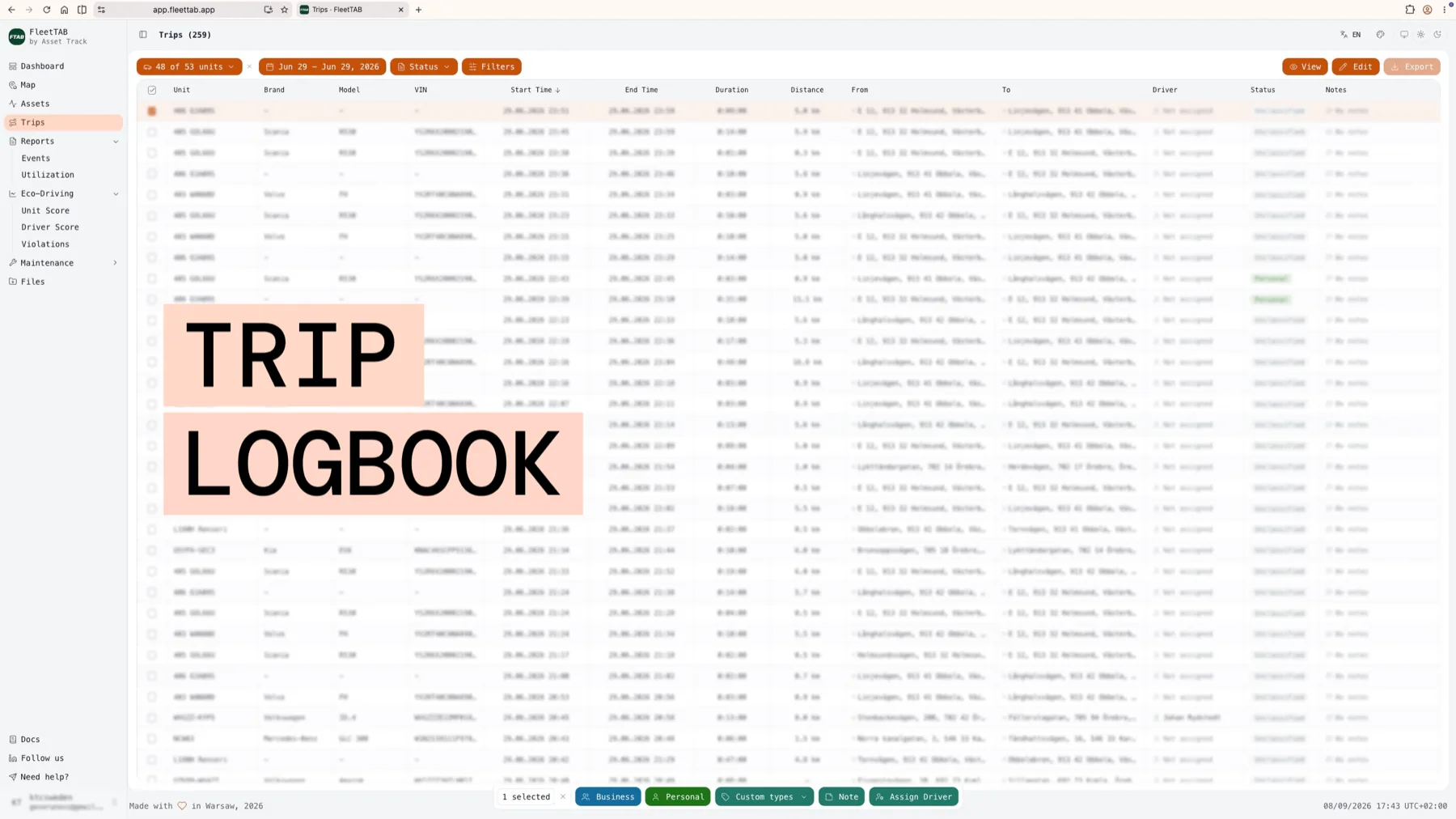
FleetTAB trip list with a month of trips selected and the bulk bar offering business, personal, note and driver assignment
The row the table above keeps returning to: a filtered month selected, and status, driver and notes written across all of it at once.
The job In Wialon reports In FleetTAB
Asking the same question five waysFive report runs, each capped at five minutes of execution, with a pause once ten minutes are usedOne dashboard, rebuilt by dragging cards — the numbers are read live
Tagging a month of trips business or privateRecord by record, usually after exporting the listFilter the month, select it, write status, driver and notes across the whole selection
Explaining a driver's scoreA behaviour report with the events in a separate tableThe score opens into the violations that made it, mapped and timed
Keeping a service invoice with the vehicleNowhere — service records hold no filesAttached to the service record, on the unit, with cost and notes
Giving the workshop and the CFO their own viewTwo report templates, maintained by whoever configured themTwo dashboards, each saved per user
Working on a phone in the yardThe platform interface, built for a deskA layout designed for field use, installable as a PWA

The limit nobody notices until it matters

Wialon Hosting keeps messages for a set period — 400 days by default. Reports read those messages, so the history a report can reach is the history the platform still holds, and what ages out cannot be recovered by any tool afterwards.

FleetTAB reads the same window: it is an interface, not an archive. If the requirement is history that outlives the platform's retention, or fleet data joined against ERP and finance tables, that is a different product — FleetSQL copies a Wialon account into a PostgreSQL database you own, and fleets commonly run both.

What FleetTAB does not do

It does not track. There is no ingestion from hardware, no device configuration and no live dispatch — those stay in Wialon, which keeps being the operational system and the source of truth.

It does not replace the reporting engine either. Wialon report templates remain useful, and their output stays where it is. FleetTAB adds the working surface around them: dashboards to ask with, a logbook to edit in, scores to discuss, intervals to plan against.

  • No hardware ingestion — FleetTAB reads an existing Wialon account
  • No second platform to keep in sync, and nothing to migrate
  • Switching it off leaves the Wialon account untouched

Frequently asked questions

Do I still need my Wialon subscription? +

Yes. FleetTAB has no tracking platform of its own: it reads the Wialon account you already pay for, and it stops being useful the day that account does.

Will FleetTAB slow my Wialon account down? +

It reads through the same API your other integrations use, in batched requests rather than one call per unit, and it writes only the fields you edit in FleetTAB. Your dispatchers see the account they saw before.

Can FleetTAB read my existing report templates? +

The reporting engine stays in Wialon and its templates run there. FleetTAB works from the underlying trips, sensors and events, which is what lets the same data be re-asked without a report run.

What about history older than the retention window? +

Neither the built-in reports nor FleetTAB can recover what has aged out of the platform. Keeping history past that window means copying it out before it expires — which is what FleetSQL does, into a PostgreSQL database you control.

Contact us

Get in touch

Questions, a demo, or white-label for your own company — tell us.

A person answers, usually the same working day. No newsletter, and nothing is passed on — see the privacy policy.

Why FleetTAB

Your fleet data is already in Wialon. Put it to work.

Free on your own account
No per-vehicle fee. White-label and custom work are the paid parts.
Nothing migrated
Wialon stays the source of truth, and switching off leaves it untouched.
Minutes, not a project
One Wialon API token, revocable from Wialon at any moment.